
Single Touch Payroll promised to simplify payroll reporting for Australian businesses. For many employers, it has but only when it’s set up and managed correctly. For others, small configuration errors and easy-to-miss process gaps are quietly creating compliance headaches that don’t surface until the ATO comes knocking.
The uncomfortable truth is that most STP mistakes aren’t dramatic. They’re not deliberate. They’re the result of rushing through onboarding, copying settings across employees, or assuming the software will catch every edge case. But the ATO receives your payroll data in real time, which means every error lands on record before you even realise it happened.
This guide walks through the most common STP mistakes we see Australian SMEs make and exactly how to fix them before they cost you time, money, or a compliance conversation you didn’t want to have.
Single Touch Payroll is the ATO’s digital payroll reporting framework. Each time you run a pay cycle, your payroll software sends a report directly to the ATO containing your employees’ gross wages, tax withheld, and superannuation obligations. At the end of the financial year, those accumulated figures become the basis for each employee’s income statement, the record they use to lodge their personal tax return.
This real-time visibility is the whole point of STP. It means the ATO doesn’t wait for annual summaries; it sees your payroll as it happens. That makes consistency and accuracy non-negotiable from day one.
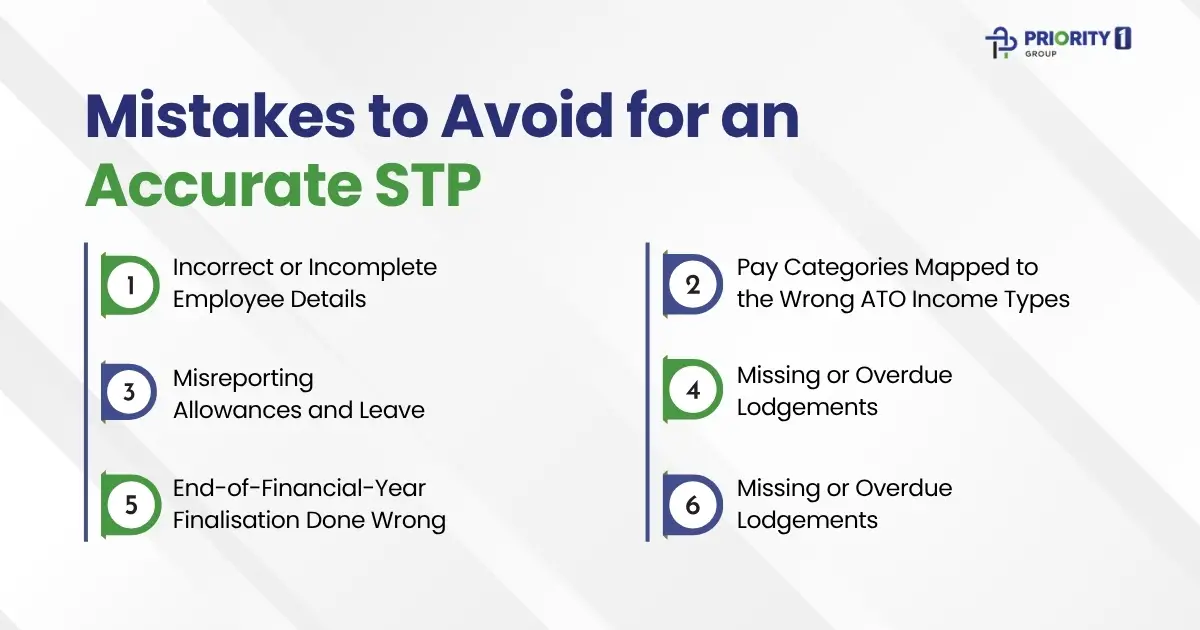
This is the most common and most underestimated STP error. When an employee’s Tax File Number, date of birth, or legal name doesn’t match ATO records, their income statement can’t be linked correctly. This creates delays, compliance flags, and frustrated employees who can’t lodge their tax returns without manual intervention.
Common culprits include:
The fix: Make it standard practice to collect a completed TFN declaration form before processing a new employee’s first pay run. Cross-check the name and TFN against what the employee has provided and if there’s a discrepancy, resolve it before payroll is processed, not after.
STP Phase 2, which most businesses have now transitioned to, requires you to disaggregate pay. This means your payroll software needs to report different types of income separately not as a single gross figure. Salary, overtime, bonuses, directors’ fees, and allowances each have their own ATO income type classifications.
Where businesses go wrong:
These mismatches cause real problems. If overtime is reported under the wrong income type, the ATO’s system won’t reconcile it correctly against award obligations. If salary sacrifice is miscoded, both the employer and employee may face queries during review.
The fix: Audit every pay category in your payroll software against the ATO’s STP Phase 2 income type list. If your software provider published a migration guide, revisit it. If you’re unsure whether a pay category is mapped correctly, this is exactly the kind of check a bookkeeper should review before the next pay run.
Allowances and leave are where STP Phase 2 catches the most businesses off guard. Under Phase 2, many allowances that were previously bundled into gross wages now need to be itemised and reported separately with their own specific classification codes.
Errors commonly look like this:
Leave reporting has its own complexity. Paid parental leave, workers’ compensation, and ancillary leave must be tagged accurately. Getting this wrong doesn’t just affect the ATO’s view of your payroll, it can affect your employees’ leave entitlement records and create disputes down the line.
The fix: Review your allowance and leave pay items against the ATO’s disaggregation requirements for STP Phase 2. Your payroll software should have specific allowance type fields, if you’re still using free-text descriptions or bundling everything into gross wages, that needs to change immediately.
STP reports must be lodged on or before each payday. That sounds straightforward, but missed lodgements happen more often than you’d expect, especially when there are software issues, staff turnover in the accounts team, or pay runs processed outside the usual cycle (think: ad hoc bonuses or termination pays).
Signs you may have gaps:
The ATO does monitor lodgement compliance and can issue failure-to-lodge penalties. More practically, if a lodgement is missing, the employee’s income statement won’t reflect accurate year-to-date figures, which affects both their tax return and your own reconciliation.
The fix: After every pay run, confirm the STP submission status in your payroll software. Most platforms show a clear submitted, pending, or error status. Build this confirmation step into your pay run sign-off process so no lodgement slips through.
The end-of-year finalisation is the step that most employers treat as an afterthought and it’s the step that creates the most downstream problems for employees and the ATO alike.
After 30 June, you’re required to finalise each employee’s income statement in your STP-enabled payroll software. This signals to the ATO that the year’s figures are complete and accurate, at which point the employee’s income statement becomes tax-ready. If you don’t finalise, or finalise with incorrect figures, employees will see a “not tax ready” status in MyGov and won’t be able to lodge their returns.
Common finalisation mistakes:
The fix: Before finalising, run a full payroll summary report and reconcile it against your STP year-to-date figures. Check every employee, current and terminated; is included. Lodge by the 14 July deadline (or 30 September if you use a registered tax or BAS agent). If you find an error after finalising, you can lodge an amended finalisation event.
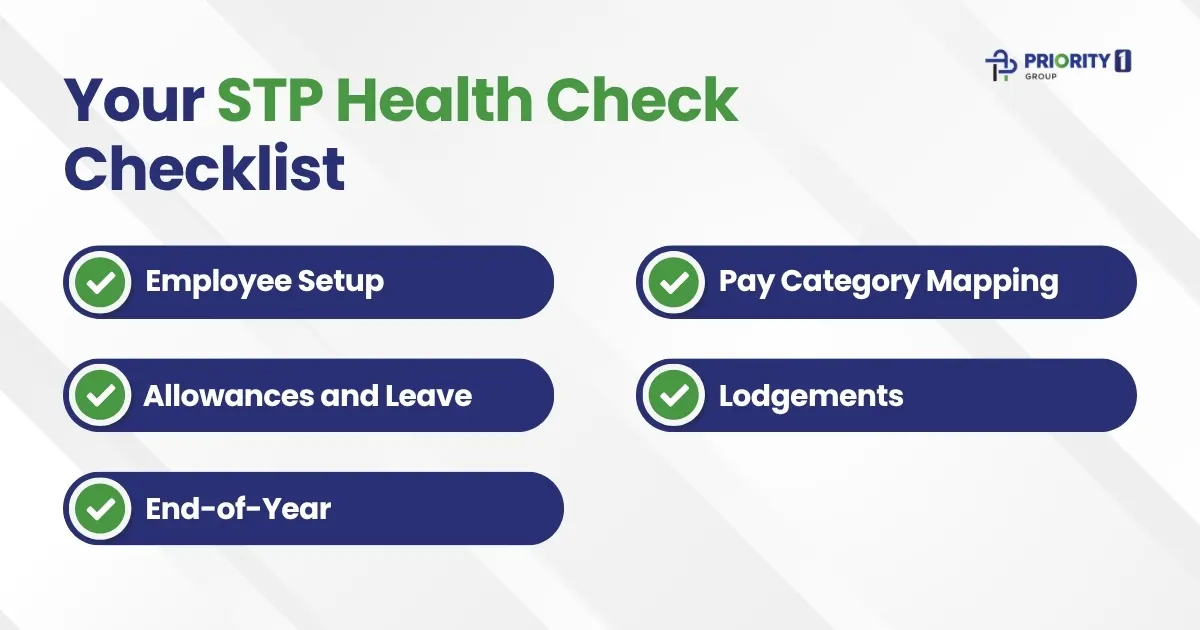
Use this quick checklist at least once per quarter and always before end-of-financial-year finalisation.
The businesses that rarely have STP problems aren’t necessarily using better software, they have better habits. A clean internal STP process doesn’t need to be complex. It just needs to be consistent.
At every pay run: Process payroll, confirm STP submission status before closing the software, and record the confirmation in a simple pay run log (even a spreadsheet works).
At every new hire: Collect the TFN declaration before the first pay, set up the employee record, verify income type and pay category mapping, and have a second person spot-check before the first pay run is processed.
At every termination: Process the final pay including any outstanding entitlements, confirm the termination STP event has been lodged, and add the employee to your end-of-year finalisation list.
At end of financial year: Reconcile year-to-date totals, review the health check checklist above, and finalise all employees by the deadline.
This four-touchpoint approach costs almost no extra time when it’s built into your existing workflow but it eliminates the vast majority of STP errors before they compound.
STP compliance sits at the intersection of payroll processes, software configuration, and ATO requirements. For many small business owners, it’s a manageable task once the system is set up correctly. But if you’ve recently transitioned to STP Phase 2, changed payroll software, onboarded a significant number of staff, or received correspondence from the ATO about lodgement gaps, those are all signals that a fresh set of expert eyes is worth it.
At Priority1 Group, our bookkeeping team works with Australian SMEs to set up STP correctly from the start, catch misconfigurations before they become compliance issues, and manage end-of-year finalisation so your employees can lodge their tax returns on time without frustration.
If you’re not 100% confident your STP setup is clean, it’s worth a conversation. A quick review now is always easier than an amendment process later.
