
Latest update: 28/10/2026
What changed on 1 July 2026
Payday Super changed what every STP report has to contain. You now report each employee’s year-to-date qualifying earnings and year-to-date super liability at every pay run. Qualifying earnings replaced ordinary time earnings as the base for working out super.
If your payroll software has not been updated, or your pay codes have not been remapped, your STP reports are incomplete right now. The ATO is accepting them through the 2026–27 year. From 1 July 2027 it will reject them.
Single Touch Payroll promised to simplify payroll reporting for Australian businesses. For many employers, it has but only when it’s set up and managed correctly. For others, small configuration errors and easy-to-miss process gaps are quietly creating compliance headaches that don’t surface until the ATO comes knocking.
The uncomfortable truth is that most STP mistakes aren’t dramatic. They’re not deliberate. They’re the result of rushing through onboarding, copying settings across employees, or assuming the software will catch every edge case. But the ATO receives your payroll data in real time, which means every error lands on record before you even realise it happened.
That has become more pointed since July. The ATO now matches your STP data against what super funds report receiving, which means a gap between what you say you owe and what actually arrived in an employee’s fund is visible without anyone having to go looking for it.
This guide walks through the most common STP mistakes we see Australian SMEs make and exactly how to fix them before they cost you time, money, or a compliance conversation you didn’t want to have.
Single Touch Payroll is the ATO’s digital payroll reporting framework. Each time you run a pay cycle, your payroll software sends a report directly to the ATO containing your employees’ gross wages, tax withheld, and superannuation obligations. At the end of the financial year, those accumulated figures become the basis for each employee’s income statement, the record they use to lodge their personal tax return.
This real-time visibility is the whole point of STP. It means the ATO doesn’t wait for annual summaries; it sees your payroll as it happens. That makes consistency and accuracy non-negotiable from day one.
The super side of STP changed on 1 July 2026, and it changed in a way that is easy to miss, because nothing about the lodgement process looks different. Same software, same pay run, same submission. What changed is what has to be inside the report.
| Before 1 July 2026 | From 1 July 2026 |
Earnings base for super | Ordinary time earnings (OTE) | Qualifying earnings (QE) |
What you report in STP | OTE or super liability, or both | Both QE and super liability |
When super is paid | At least quarterly | Every payday, received by the fund within 7 business days |
In the STP report itself, these are two separate fields: year-to-date qualifying earnings is reported as super type Q, and year-to-date employer super liability as super type L. Before July, employers reported super type O (ordinary time earnings) or L, or both. Type Q did not exist and could not be used.
Why both figures, not just one? Because they answer different questions. Qualifying earnings is what super is calculated on. Super liability is what you actually owe. Most of the time one follows from the other, but not always: if you pay super above the minimum under an award, an enterprise agreement or a contract, those extra amounts may sit outside qualifying earnings and still need to show up as super liability. Reporting both lets the ATO see the gap and understand it.
If either figure is genuinely zero for an employee, report zero. Do not leave the field out.
For the full picture of what Payday Super changed, see our guide to Payday Super for employers.
There is a transition running, and it is worth being precise about what it does and does not protect you from.
Through the 2026–27 financial year, the ATO will still accept STP reports that omit qualifying earnings. Reports will not bounce. If your software was not ready on 1 July, the ATO’s position is that you should ask your provider when the update is coming and start reporting both amounts as soon as you can, and you do not need to apply for an STP deferral to do that.
What the transition does not do is excuse the payment. Super still has to be paid on qualifying earnings every payday from 1 July 2026, and the super guarantee charge applies from day one if contributions are late. The ATO’s first-year compliance approach, set out in PCG 2026/1 and covering 1 July 2026 to 30 June 2027, is a risk-rated approach to enforcement, not a holiday from the obligation.
And on 1 July 2027 the tolerance ends. STP reports that do not include both year-to-date qualifying earnings and year-to-date super liability will be rejected. A rejected report is a failed lodgement, which is a different and worse problem than an incomplete one.
If you are reading this before July 2027 with pay codes you have not looked at since last financial year, that is your deadline, and the work is not a five-minute job.
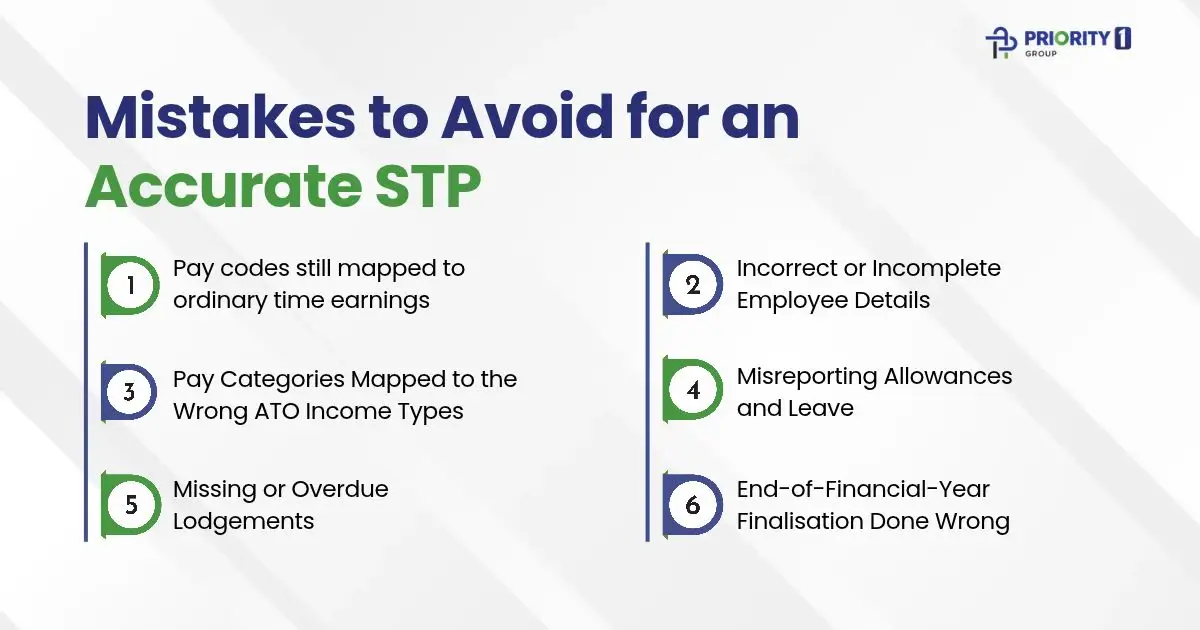
This is the newest STP mistake and currently the most common one. Qualifying earnings is a broader base than ordinary time earnings: it picks up payments such as certain allowances, bonuses and lump sums that OTE did not. If your pay codes were mapped for OTE and nobody has revisited them, two things are going wrong at once. You are reporting the wrong figure, and you may be paying the wrong amount of super.
The second one is the expensive one. Reporting errors are fixable. Underpaid super triggers the super guarantee charge, and under Payday Super the ATO assesses the charge itself rather than waiting for you to self-report it.
The fix: Pull your pay category list and check every item against the ATO’s qualifying earnings definition, one line at a time. Ask your payroll provider directly whether their product reports super type Q and super type L, and if they say yes, turn off auto-submission for one pay run and read the actual figures before they go. Where you are not certain whether a payment is qualifying earnings, that is a question for your bookkeeper or BAS agent, not a guess.
This is the most common and most underestimated of the long-standing STP errors. When an employee’s Tax File Number, date of birth, or legal name doesn’t match ATO records, their income statement can’t be linked correctly. This creates delays, compliance flags, and frustrated employees who can’t lodge their tax returns without manual intervention.
The fix: Make it standard practice to collect a completed TFN declaration form before processing a new employee’s first pay run. Cross-check the name and TFN against what the employee has provided, and if there’s a discrepancy, resolve it before payroll is processed, not after.
STP Phase 2, which most businesses have now transitioned to, requires you to disaggregate pay. This means your payroll software needs to report different types of income separately, not as a single gross figure. Salary, overtime, bonuses, directors’ fees, and allowances each have their own ATO income type classifications.
These mismatches cause real problems. If overtime is reported under the wrong income type, the ATO’s system won’t reconcile it correctly against award obligations. If salary sacrifice is miscoded, both the employer and employee may face queries during review.
Since 1 July 2026 this mapping work has a second dimension. A pay category now needs the right ATO income type and the correct qualifying earnings treatment, and they are separate decisions. A category can be correctly classified for income type purposes and still be reported wrongly for super. When you audit your categories, check both columns.
The fix: Audit every pay category in your payroll software against the ATO’s STP Phase 2 income type list. If your software provider published a migration guide, revisit it. If you’re unsure whether a pay category is mapped correctly, this is exactly the kind of check a bookkeeper should review before the next pay run.
Allowances and leave are where STP Phase 2 catches the most businesses off guard. Under Phase 2, many allowances that were previously bundled into gross wages now need to be itemised and reported separately with their own specific classification codes.
Leave reporting has its own complexity. Paid parental leave, workers’ compensation, and ancillary leave must be tagged accurately. Getting this wrong doesn’t just affect the ATO’s view of your payroll, it can affect your employees’ leave entitlement records and create disputes down the line.
The fix: Review your allowance and leave pay items against the ATO’s disaggregation requirements for STP Phase 2. Your payroll software should have specific allowance type fields; if you’re still using free-text descriptions or bundling everything into gross wages, that needs to change immediately.
STP reports must be lodged on or before each payday. That sounds straightforward, but missed lodgements happen more often than you’d expect, especially when there are software issues, staff turnover in the accounts team, or pay runs processed outside the usual cycle (think: ad hoc bonuses or termination pays).
The ATO does monitor lodgement compliance and can issue failure-to-lodge penalties. More practically, if a lodgement is missing, the employee’s income statement won’t reflect accurate year-to-date figures, which affects both their tax return and your own reconciliation.
The fix: After every pay run, confirm the STP submission status in your payroll software. Most platforms show a clear submitted, pending, or error status. Build this confirmation step into your pay run sign-off process so no lodgement slips through.
The end-of-year finalisation is the step that most employers treat as an afterthought, and it’s the step that creates the most downstream problems for employees and the ATO alike.
After 30 June, you’re required to finalise each employee’s income statement in your STP-enabled payroll software. This signals to the ATO that the year’s figures are complete and accurate, at which point the employee’s income statement becomes tax-ready. If you don’t finalise, or finalise with incorrect figures, employees will see a “not tax ready” status in myGov and won’t be able to lodge their returns.
One timing trap specific to 2026: qualifying earnings cannot be reported for any period before 1 July 2026. That means a 2025–26 finalisation must not include qualifying earnings, even if you are lodging it after 30 June 2026. The 2025–26 year is reported on the old basis; the new basis starts with your first July pay run.
The fix: Before finalising, run a full payroll summary report and reconcile it against your STP year-to-date figures. Check every employee, current and terminated, is included. Lodge by the 14 July deadline (or 30 September if you use a registered tax or BAS agent). If you find an error after finalising, you can lodge an amended finalisation event.
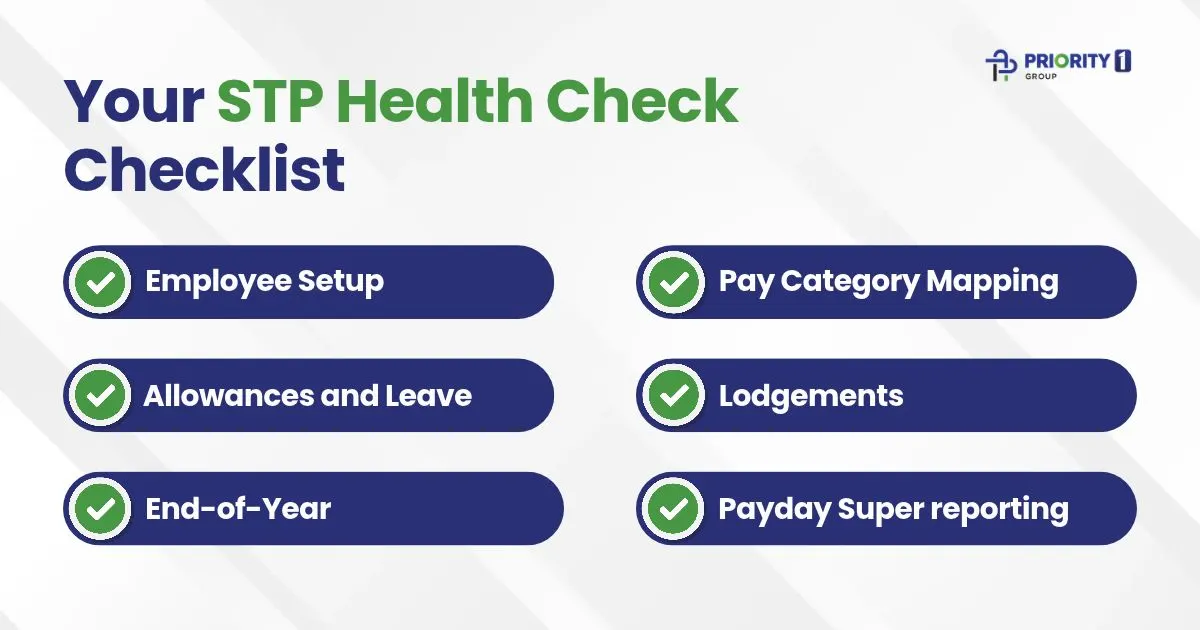
Use this quick checklist at least once per quarter and always before end-of-financial-year finalisation.
The businesses that rarely have STP problems aren’t necessarily using better software, they have better habits. A clean internal STP process doesn’t need to be complex. It just needs to be consistent.
This four-touchpoint approach costs almost no extra time when it’s built into your existing workflow, but it eliminates the vast majority of STP errors before they compound.
STP compliance sits at the intersection of payroll processes, software configuration, and ATO requirements. For many small business owners, it’s manageable once the system is set up correctly. But the Payday Super changes moved the bar. If you have not audited your pay codes against the qualifying earnings definition since July, if you are not certain both required figures are on your reports, or if you have had a super payment fail to reach a fund inside seven business days, those are all signals that a fresh set of expert eyes is worth it before 1 July 2027 turns a reporting gap into a rejected lodgement.
At Priority1 Group, our bookkeeping team works with Australian SMEs to set up STP correctly from the start, catch misconfigurations before they become compliance issues, and manage payroll and end-of-year finalisation so your employees can lodge their tax returns on time without frustration.
If you’re not 100% confident your STP setup is clean, it’s worth a conversation. A quick review now is always easier than an amendment process later.
If you have not checked your pay codes against the qualifying earnings definition since July, that is the single most useful hour you could spend on payroll this quarter. We are happy to do it with you.

Disclaimer: This article is general information based on ATO guidance current at 28 October 2026. Super and payroll rules change, and how they apply depends on your circumstances. It is not tax, legal or financial advice. For your own obligations, check ato.gov.au or speak with a registered tax or BAS agent.